

Darkly Picture Effect
| Previous | Home | Next |
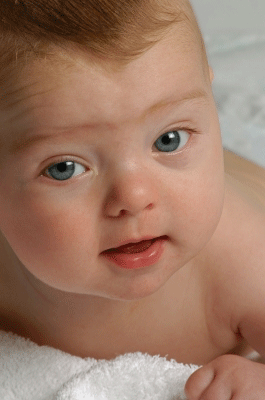
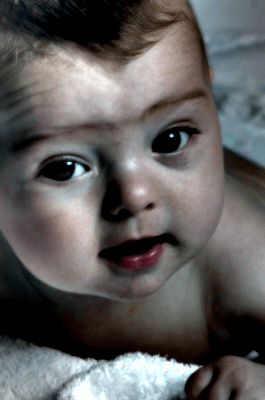
In this example I will teach you how to make a darkly picture effect, I have selected a cute baby picture to make this effect. Follow all the steps to learn and make perfectly.
Step 1: Take a new picture to make this effect on.
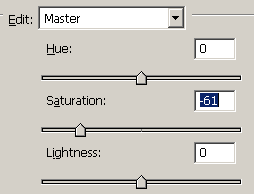
Step 2: Make duplicate layer of the picture and change the color settings, go to Image menu -> Adjustment -> Hue/Saturation and make settings as here.
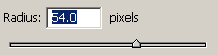
Step 3: Give blur effect, go to Filter menu -> Blur -> Gaussian blur and set radius.
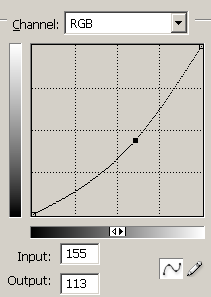
Step 4: Decrease color graph, go to Image menu -> Adjustment -> Curves and make same settings.
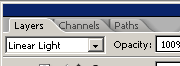
Step 5: Now change the blending mode of the picture as here.
Final Picture
| Previous | Home | Next |