

Draw Sun
| Previous | Home | Next |
In this example I will teach a easy way to draw a cartoon sun to use in your graphic project. I am sure you will enjoy this example and try to make same as here.
Step 1: Take a new file with any size as you need and select Ellipse tool (U key) with orange color then draw a circle.

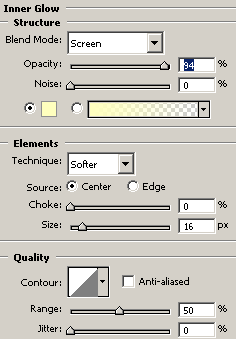
Step 2: Make Inner Glow effect, go to Layer menu -> layer style -> Inner Glow and make setting.
Step 3: Select Brush Tool (B key) and choose brush type as here.
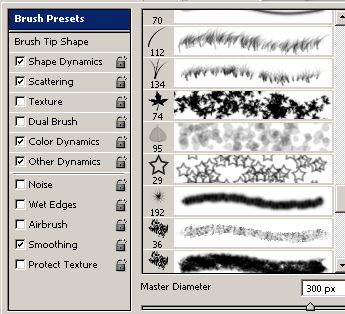
Step 4: Increase brush size "300" then set Foreground color "Yellow" and press 10 time in the middle of the circle.
Final Picture

| Previous | Home | Next |